IPTV Player for Smart TVs: How to Choose the Right Video Player & Get Started with IPTV Smarters
Amanpreet Singh6 min read
Finding the right IPTV Player for your Smart TV does not have to be difficult. Focus on the features that matter most, including device compatibility, playlist support, easy navigation and reliable playback options. If you are exploring your options, IPTV Smarters is worth considering.
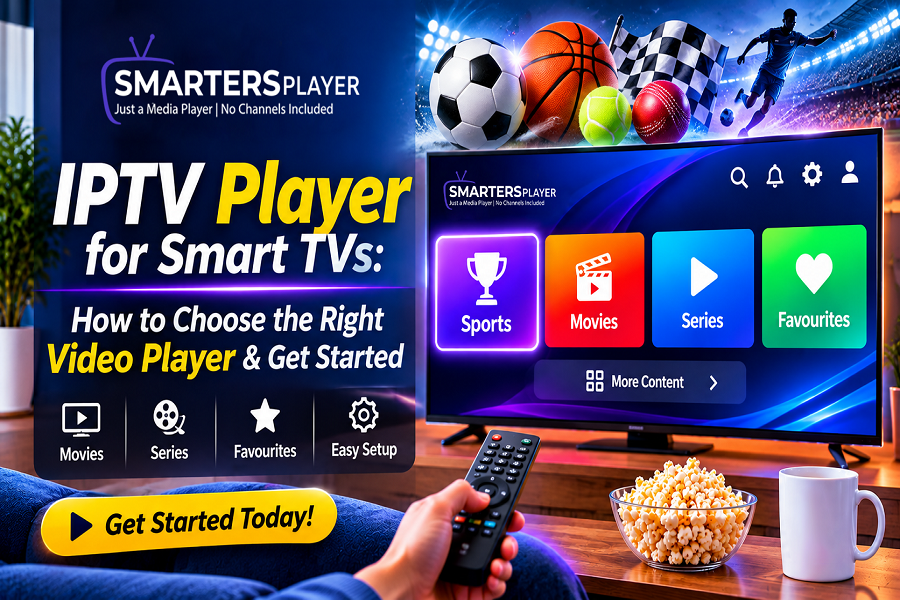
Smart TVs have completely changed how people enjoy entertainment at home. Whether you prefer watching movies, exploring web series or accessing live television, having the right applications can make your viewing experience much more convenient. Among the available options, choosing a versatile IPTV Player is an important step towards organising and enjoying your favourite media content.
However, with so many applications available, finding the right Video Player can sometimes feel confusing. Some offer simple playback options, while others provide additional features designed specifically for Smart TV users.
So, what should you look for before choosing an IPTV Player? And how can IPTV Smarters help make your media experience more organised? Let's explore everything you need to know.
What Is an IPTV Player and How Does It Work?
An IPTV Player is an application that allows users to play television and other media content delivered through internet-based services.
Unlike traditional cable or satellite television, IPTV uses internet networks to deliver content to compatible devices. A dedicated player provides the interface through which users can access and manage content supplied by their IPTV service provider.Depending on the application's capabilities, an IPTV Player may support different content categories, including:
- Live television channels
- Movies and video-on-demand libraries
- Web series and TV shows
- Favourite content collections
- Supported external playlists
One important thing to remember is that an IPTV Player is not the same as an IPTV subscription. The player generally does not provide channels, movies or subscriptions. Users need a compatible content source from an authorised provider.
Why Do You Need the Right Video Player for Your Smart TV?
A Smart TV offers a large screen and convenient access to entertainment applications. However, the quality of your experience also depends on the software you use.A well-designed Video Player can make everyday navigation easier and help you organise your media without unnecessary complications.Here are some benefits worth considering.
1. Simple and Convenient Navigation
A television application should be easy to operate using a remote control. Clearly organised menus, accessible settings and properly arranged categories make it easier to find content.
2. Better Content Organisation
A suitable IPTV Player can organise supported content into different sections, such as Live TV, Movies and Series. This makes browsing more convenient, particularly when dealing with large playlists.
3. Flexible Playback Experience
Playback features such as pause, resume, audio selection and subtitle support can improve everyday viewing, depending on the application and media format.
4. Personalised Viewing
Features such as favourites, recently watched content and customisable settings allow users to organise their viewing experience according to their preferences.
Important Features to Look for When Choosing an IPTV Player
Not every Video Player offers the same capabilities. Before installing an application, consider the following features.
Device Compatibility
Compatibility should always be your first priority. Different Smart TVs use different operating systems, including Android TV, Google TV, Samsung Tizen and LG webOS.An application available on Android TV may not necessarily support Samsung or LG televisions.Check the official application listing to confirm supported devices before downloading.
Supported Playlist Formats
Many IPTV services provide access through specific connection methods.Common examples include:
M3U playlist URLs
Xtream Codes API credentials
A good IPTV Player should support the connection method provided by your authorised IPTV service.
User-Friendly Interface
A clean interface makes a significant difference, especially when browsing through a television remote.Look for clearly labelled menus, organised content sections, accessible settings and a layout that does not feel unnecessarily complicated.
Streaming and Playback Support
A smooth viewing experience depends on multiple factors, including your internet connection, device performance, content source and application capabilities.
Choose a Video Player that supports your required media formats and playback options. Remember that even the best application cannot guarantee uninterrupted streaming if the internet connection or content server is unreliable.
Search and Favourite Options
Searching through hundreds of channels or movies can become frustrating.Search functionality and favourite lists can make it easier to locate frequently watched content without browsing through everything again.
Discover IPTV Smarters: An IPTV Player Designed for Media Entertainment
When exploring applications for internet-based media playback, IPTV Smarters is a name worth considering.IPTV Smarters provides a dedicated media-player environment where users can access compatible IPTV content through supported connection methods.
Its purpose is to make media playback and content navigation more organised.Depending on the application version and supported device, users may have access to features such as:
- Live TV content organisation
- Movies and video-on-demand sections
- Series and episode categories
- Favourite content management
- Playlist integration
- Supported playback and subtitle options
For people who prefer managing their compatible media content through a dedicated application, IPTV Smarters offers an alternative to relying on multiple separate playback tools.Before installing, check the official product information for current device compatibility, available features and setup requirements.
How to Set Up an IPTV Player on Your Smart TV
Getting started with an IPTV Player is generally simple. Although the exact process varies depending on your television and application, the following steps provide a useful starting point.
Step 1: Check Your Smart TV Operating System
Start by identifying your television's operating system. You can usually find this information under Settings or Device Information.This helps you determine which applications are compatible with your television.
Step 2: Download a Compatible Video Player
Visit your television's official application store and search for your preferred IPTV Player.Check the application name, developer information and compatibility before installing it.
Step 3: Open the Application
Once installed, launch the application and follow the instructions displayed on your screen.Some applications may require an initial configuration before you can access their features.
Step 4: Add Your IPTV Connection Details
If your Video Player supports IPTV playlists, you can enter the connection information supplied by your authorised service provider.This may include an M3U playlist URL or supported Xtream Codes credentials.Make sure your access details are correct and keep them private.
Step 5: Explore Your Media Library
After successfully connecting your content source, allow the application to load the available categories.You can then explore supported channels, browse movies and series, and organise your favourite content.
Tips to Improve Your IPTV Viewing Experience
Choosing the right IPTV Player is only one part of creating a comfortable viewing experience. Your device and internet connection also play important roles.Here are a few practical suggestions:
Use a stable internet connection: Reliable broadband helps reduce interruptions during streaming.
Consider an Ethernet connection: A wired connection may provide better stability than Wi-Fi in some environments.
Keep applications updated: Updates can provide compatibility improvements and bug fixes.
Check your playlist details: If content stops loading, verify your playlist URL or subscription status.
Use authorised content sources: Choose providers that have the necessary distribution rights.
Check device performance: Make sure your Smart TV has sufficient resources for smooth application operation.
Final Thoughts
Finding the right IPTV Player for your Smart TV does not have to be difficult. Focus on the features that matter most, including device compatibility, playlist support, easy navigation and reliable playback options.A suitable Video Player can help you organise compatible media content and make your entertainment experience more convenient.
If you are exploring your options, IPTV Smarters is worth considering. Check its supported devices, explore its available features and see whether it meets your media playback requirements.