Enjoy a User-Friendly Media Player Experience on macOS with IPTV Smarters Pro
Amanpreet Singh4 min read
IPTV Smarters Pro for Macos can be used with supported M3U and JSON playlists, allowing users to arrange compatible media sources through a centralized interface. This can help reduce the need to switch between different applications when managing personal content.
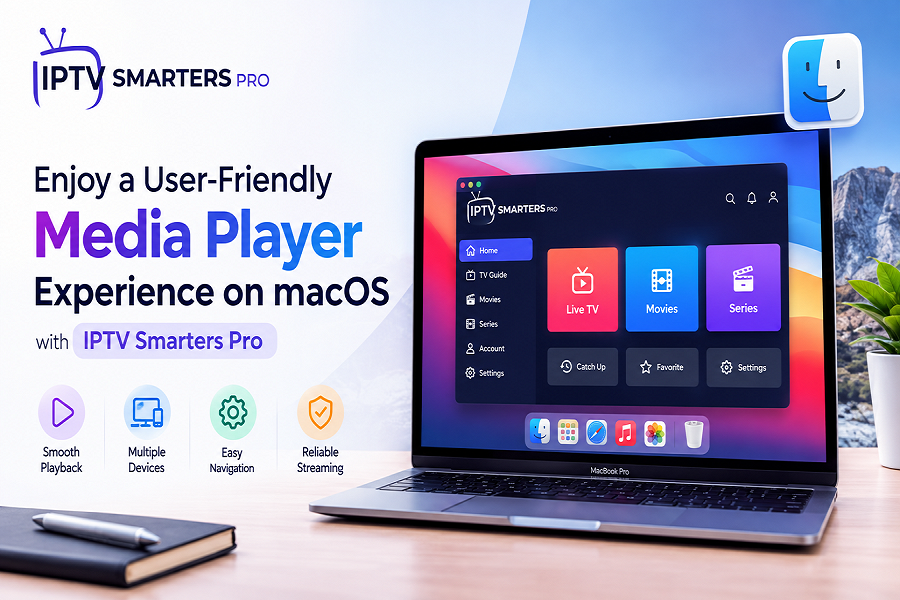
Mac users often look for convenient ways to organize and access their personal digital media. A suitable media player can simplify playlist management, improve navigation, and provide useful playback options from one interface. With support for different content formats and a straightforward design, users can create a more organized media experience on compatible Apple computers.
IPTV Smarters Pro is designed as a flexible media player that helps users manage and access personally owned or permitted digital content. Its combination of playlist support, simple navigation, and practical playback features makes it a useful option for people seeking an organized media experience on macOS.
A Convenient Media Player for Mac Users
Using a media player on a desktop or laptop provides the advantage of a larger display and comfortable navigation. Mac users can manage their playlists, browse categories, and select compatible content using familiar computer controls.
The application can work with supported media sources and playlist formats, giving users flexibility when organizing their personal collections. Depending on the source and platform, available features may vary.
Key Benefits
Some useful advantages include:
- Straightforward interface
- Easy playlist organization
- Support for compatible media sources
- Convenient content navigation
- Search and sorting capabilities
- Personalized playback options
- Support for multiple media categories
Flexible Playlist Support
Playlist compatibility is an important part of a modern media player. Users may have content arranged through different formats, so support for multiple playlist types can make organization easier.
IPTV Smarters Pro for Macos can be used with supported M3U and JSON playlists, allowing users to arrange compatible media sources through a centralized interface. This can help reduce the need to switch between different applications when managing personal content.
M3U Playlists
M3U is a commonly used format for organizing media source information. Users with compatible M3U playlists can add their sources and navigate available content through the player.
This format can be useful for:
- Organizing media sources
- Grouping content into categories
- Maintaining structured playlists
- Accessing compatible items from one interface
JSON Playlists
JSON provides another way of structuring playlist information. Support for compatible JSON sources gives users additional flexibility when managing their personal media.
Having more than one supported playlist format can be particularly helpful for users who maintain content using different organizational methods.
Simple Navigation and Content Organization
A user-friendly interface can make a significant difference when browsing a large media collection. Clear categories and straightforward menus allow users to locate desired content without unnecessary steps.
Users can organize compatible content into categories such as:
- Movies
- Series
- Music
- Other supported media
Search and sorting tools can also make it easier to locate specific items within larger collections.
Useful Playback Features
A convenient media player should offer practical options that allow users to personalize their playback experience. Features can vary depending on the platform, source, and content format.
Supported functionality may include:
- Subtitle selection
- Audio track options
- External player compatibility
- Favorites
- Continue-watching functionality
- Content sorting
- Search tools
- Multiple interface options
These features can make everyday media access more convenient while giving users greater control over how they browse and play compatible content.
Managing Personal Digital Content
Personal content management becomes easier when playlists and media sources are organized in one place. Rather than searching through separate files or applications, users can use a centralized player to arrange supported content.
For example, a user may create separate playlists for movies, series, music, or other personal media. This approach can make it easier to find frequently accessed content and maintain a structured collection.
Better Organization, Easier Access
An organized media library can offer several practical benefits:
- Faster content discovery
- Cleaner playlist management
- Easier category browsing
- Convenient access to frequently used content
- Greater control over personal media organization
Compatibility Across macOS
macOS users benefit from applications that are designed to provide a comfortable desktop experience. A media player with suitable compatibility can make playlist management and content navigation more convenient on supported Mac computers.
Users should always check the application's current system requirements and supported versions before installation, as compatibility can depend on the specific macOS version and device configuration.
Creating a Personalized Media Experience
Every user has different preferences for organizing and accessing digital content. Some may prioritize playlist flexibility, while others may prefer simple navigation, search, subtitles, or external playback options.
A combination of these features can create a more personalized experience. Users can arrange their compatible sources according to their needs and use available playback settings to make content access more convenient.
Conclusion
A user-friendly media player can simplify the way Mac users organize and access personally owned or permitted digital content. Playlist compatibility, straightforward navigation, search tools, and flexible playback options can contribute to a more convenient experience.
With support for compatible M3U and JSON playlists and a range of practical organization features, IPTV Smarters Pro provides Mac users with a structured approach to managing their personal digital media. IPTV Smarters Pro for Macos can be a convenient choice for users looking to keep compatible playlists and media content organized through a familiar desktop environment.