IPTV Smarters Pro: An Easy-to-Use IPTV Player for Smart TVs
Amanpreet Singh4 min read
IPTV Smarters Pro for Smart TVs provides a convenient interface for users who want to organize compatible playlists and access authorized digital media on supported platforms.
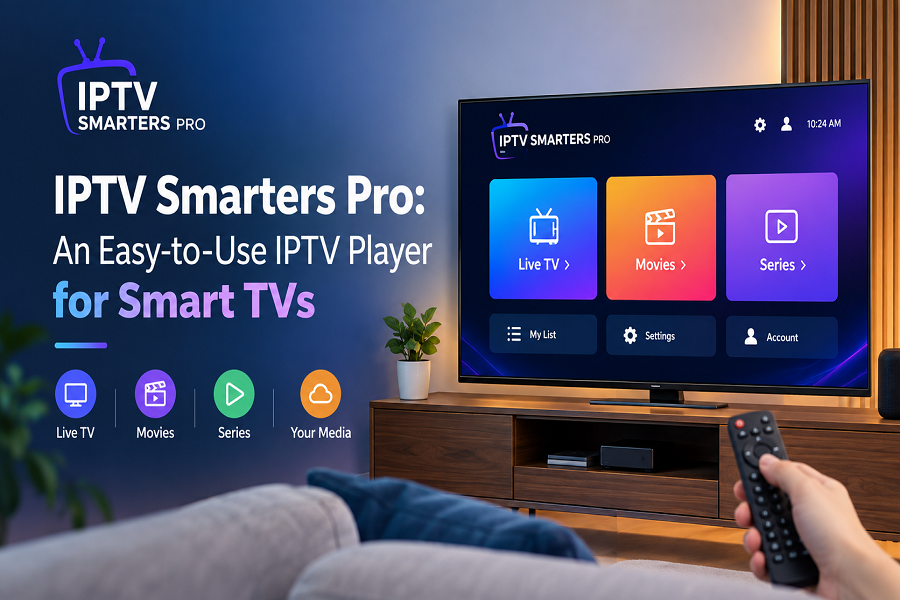
A user-friendly media player can make it easier to organize and access digital content on a larger screen. For Smart TV users, an application with simple navigation, playlist support, and practical playback controls can provide a convenient viewing environment. IPTV Smarters Pro is designed as a media player that helps users manage compatible content sources through an organized interface.
It does not host, provide, sell, or distribute media content. Instead, users can add their own playlists and sources that they are authorized to access.
What Makes a Media Player Useful for Smart TVs?
Smart TVs offer a convenient way to enjoy digital content without relying exclusively on additional devices. However, the overall experience can depend on the media player being used. A well-designed application should make it simple to browse categories, locate content, and manage playback settings.
Important Features to Consider
When choosing a media player for a Smart TV, users may look for:
- Simple and intuitive navigation
- Support for compatible playlist formats
- Easy content organization
- Search functionality
- Favorites management
- Subtitle and audio-track support
- External player compatibility
- Convenient playback controls
These features can reduce unnecessary steps and make accessing personal digital content more straightforward.
IPTV Smarters Pro for Smart TVs
IPTV Smarters Pro for Smart TVs provides a convenient interface for users who want to organize compatible playlists and access authorized digital media on supported platforms. Its design focuses on making content navigation straightforward, allowing users to move between categories and available media sources without a complicated interface.
The larger screen of a Smart TV can also provide a comfortable environment for browsing movies, series, music, and other compatible digital content.
Easy Navigation and Organization
Remote-controlled navigation is an important consideration for Smart TV applications. Menus should be easy to understand, while commonly used functions should remain accessible.
Users can benefit from organizational options such as:
- Category-based browsing
- Search tools
- Favorites
- Recently accessed content
- Sorting options
- Continue-watching functionality
These tools can make it easier to locate frequently accessed content and maintain an organized media library.
Playlist Support for Flexible Content Access
Playlist compatibility is another important aspect of a modern media player. Users may have content sources in different supported formats, so having flexible playlist support can make media management more convenient.
The application can support M3U and JSON playlists, allowing users to configure compatible sources containing content they are permitted to access.
Benefits of Playlist Management
Organized playlists can help users:
- Group related content together
- Browse different categories
- Find specific titles more quickly
- Maintain frequently accessed items
- Manage multiple compatible sources
This approach can be especially useful for users who have a large collection of authorized digital content.
Playback Features for Everyday Use
A convenient media player should offer more than basic playback. Additional features can give users greater control over how they interact with compatible content.
Available functionality may include subtitle selection, alternative audio tracks, external player support, and playback controls. These options can be particularly useful when compatible media sources provide multiple language or playback choices.
Personalizing the Playback Experience
Users may prefer different settings depending on the type of content they are accessing. Subtitle controls can help when supported by the source, while audio-track selection can provide additional flexibility.
External player compatibility may also allow users to use another supported playback application when they prefer a different playback environment.
Organizing Movies, Series, Music, and More
A media player can serve as a central interface for different types of personal digital content. Depending on the configured source, users may organize movies, series, music, and other supported media through their playlists.
Having these categories available within one interface can reduce the need to switch between different applications.
IPTV Smarters Pro for Smart TVs: Key Advantages
For users seeking a straightforward media playback experience, IPTV Smarters Pro for Smart TVs combines content organization with practical navigation and playback features.
Main Advantages
User-friendly interface: Straightforward menus can make navigation easier.
Playlist flexibility: M3U and JSON compatibility supports different authorized sources.
Content organization: Categories, search, and favorites help users manage available media.
Playback controls: Subtitles, audio tracks, and external player support add flexibility.
Smart TV experience: A larger-screen interface makes browsing and playback convenient.
Getting Started with the Media Player
Before using a media player, users should ensure their Smart TV is supported and that any playlist or content source they configure is legally obtained. The application itself does not supply media content.
After installation, users can configure a compatible authorized source and explore the available categories. They can then use search, favorites, sorting, and playback controls according to their preferences.
Conclusion
IPTV Smarters Pro offers a practical media player experience for users who want to organize compatible digital content on supported Smart TVs. With playlist support, simple navigation, search, favorites, subtitles, audio-track options, and other playback features, it provides several tools for managing personal or authorized media sources.
For Smart TV users, the combination of an organized interface and flexible playback functionality can make everyday media access more convenient and enjoyable.