Improve Your Digital Media Player Experience on Windows with IPTV Smarters Pro
Amanpreet Singh5 min read
A reliable media player offers more than basic playback functionality. It provides an organized environment where users can browse their preferred content, manage playlists, and personalize different settings according to their requirements.
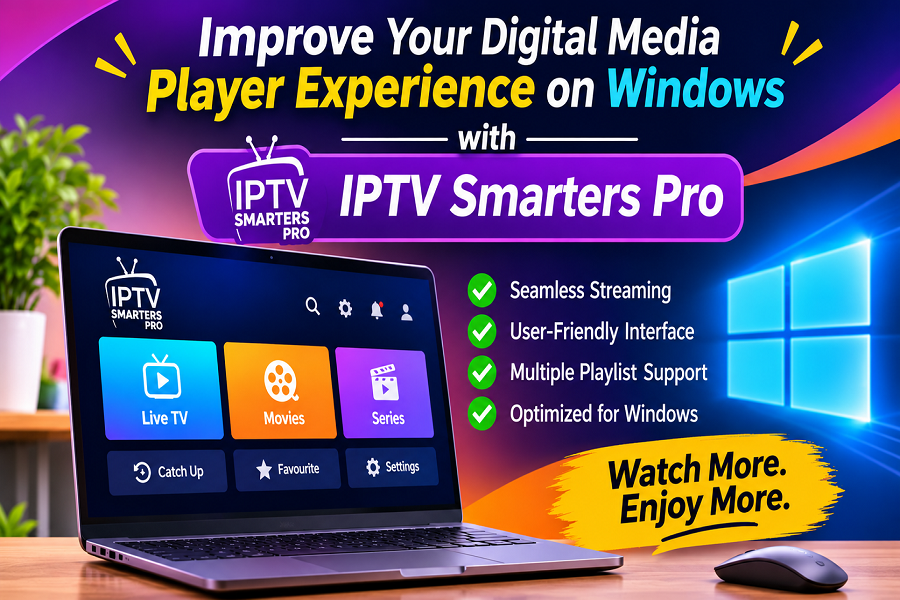
Digital entertainment has become an essential part of everyday life, encouraging users to look for convenient ways to organize and enjoy their personal media collections. Windows provides a flexible environment for accessing digital content, managing playlists, and adjusting playback preferences. IPTV Smarters Pro for Windows offers a convenient way to explore compatible media sources through intuitive navigation, customizable settings, and practical content management tools, helping users create a more organized digital media experience.
Choosing an application with useful features can improve the overall experience by simplifying everyday tasks and providing better control over personal media libraries. From playlist compatibility to flexible playback options, the right software can make digital content more accessible and easier to manage.
Understanding the Importance of a Reliable Media Player
A reliable media player offers more than basic playback functionality. It provides an organized environment where users can browse their preferred content, manage playlists, and personalize different settings according to their requirements.
For Windows users, having access to a versatile application can make digital media management more convenient. Some important aspects to consider include:
- Simple Navigation: An intuitive interface makes it easier to browse different categories and locate preferred content.
- Playlist Compatibility: Support for commonly used playlist formats provides greater flexibility when importing personal media collections.
- Playback Customization: Adjustable playback controls help users configure their viewing and listening preferences.
- Content Organization: Categorization tools make it easier to manage different types of digital media.
- Device Compatibility: Software designed for Windows provides a familiar environment for desktop and laptop users.
These capabilities contribute to a more organized and enjoyable digital media experience.
Explore Flexible Features for Windows Users
Modern media applications include several features designed to simplify content access and improve usability. When selecting software, users should consider the tools that support their everyday media requirements.
1. Convenient Playlist Management
Playlist management is an important part of organizing digital content. Applications that support M3U and JSON formats allow users to import compatible playlists and arrange their media collections more conveniently.
Useful playlist management capabilities may include:
- Importing supported playlist formats.
- Organizing movies, series, and music into separate categories.
- Browsing available content through structured sections.
- Updating playlist information when necessary.
- Managing multiple content sources through available settings.
These options help users maintain a structured media library without unnecessary manual organization.
2. User-Friendly Navigation
A clean and accessible interface can significantly improve the overall experience. Clearly arranged menus, recognizable icons, and organized categories make it easier to move between different sections.
An intuitive interface can help users:
- Find preferred media categories quickly.
- Browse available playlists with less effort.
- Access important playback settings.
- Navigate between different content sections.
- Customize the application according to personal preferences.
A straightforward design is especially useful for users who prefer a simple desktop experience.
3. Personalized Playback Controls
Playback flexibility allows users to adjust their experience based on individual preferences. Features such as pause, resume, seeking, aspect ratio adjustment, and subtitle configuration can provide greater control over supported media.
Depending on application compatibility, additional playback options may include:
- External player integration.
- Audio track selection.
- Subtitle customization.
- Playback speed adjustment.
- Screen orientation and display settings.
Having these options available can make media playback more convenient across different content types.
Why Choose a Dedicated Windows Media Application?
Windows users often manage different types of digital files, including movies, music, and personal video collections. A dedicated media application can bring these resources into a more organized environment.
Some advantages of using suitable desktop software include:
Better Content Organization: Structured categories and playlist management tools help users arrange their preferred media.
Convenient Desktop Access: Users can manage compatible content directly through their Windows computers without relying exclusively on mobile devices.
Flexible Configuration: Customizable settings provide opportunities to adjust the interface and playback preferences.
Improved Accessibility: Organized menus and browsing options make it easier to locate specific media files and playlists.
Greater Control: Dedicated playback tools help users manage their personal media experience according to their requirements.
Getting Started with IPTV Smarters Pro for Windows
Selecting suitable software is an important step toward improving digital media management. It offers a range of media organization and playback capabilities designed to support compatible content sources.
Before getting started, users should consider a few practical steps:
- Check the software's compatibility with your Windows version.
- Download the application from an official or authorized source.
- Install the software by following the available instructions.
- Import a compatible M3U or JSON playlist.
- Organize available content into suitable categories.
- Explore playback controls and customize the available settings.
Users should also ensure that their playlists and media sources contain content they own or are authorized to access.
Tips for a Better Digital Media Experience
A few simple practices can help maintain an organized and convenient media environment.
- Keep playlists updated to maintain accurate content information.
- Organize media collections using clear categories.
- Choose playback settings according to your device capabilities.
- Use supported media formats for better compatibility.
- Keep the application updated when new versions are available.
- Review available configuration options to improve usability.
These practices can help users make better use of their desktop media applications.
Conclusion
A convenient media application can make digital content management easier by combining playlist compatibility, organized browsing, and customizable playback features. Windows users can benefit from software that offers a straightforward interface and practical tools for managing personal media collections.
With its focus on flexible media organization and accessible playback options, IPTV Smarters Pro can support a more convenient desktop experience. Exploring the available features of IPTV Smarters Pro for Windows can help users organize compatible content, personalize settings, and enjoy a more streamlined approach to everyday digital media management.