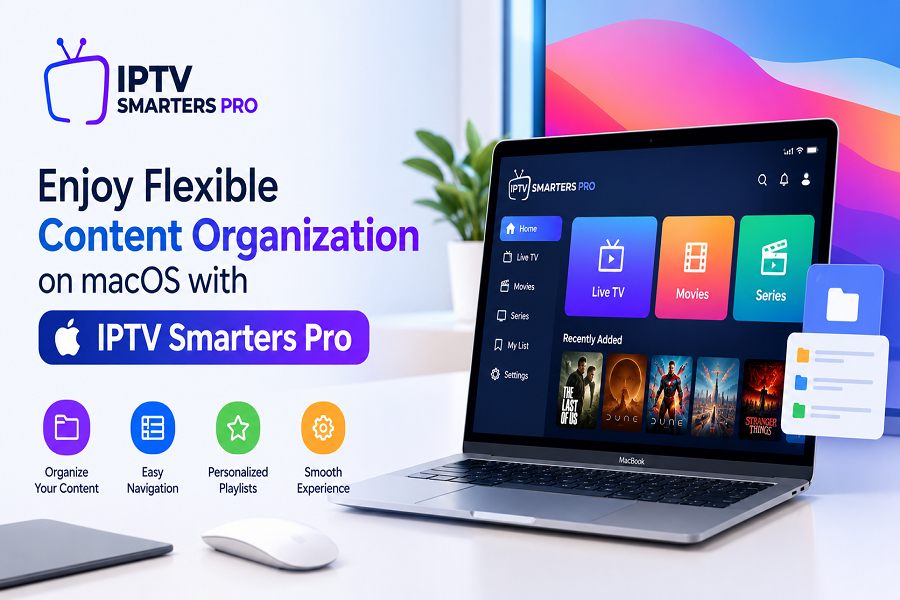
Enjoy Flexible Content Organization on macOS with IPTV Smarters Pro
Amanpreet Singh4 min read
With IPTV Smarters Pro for macOS, users can explore supported personal media sources through a structured interface. The application focuses on convenient navigation and flexible organization, making everyday media management more straightforward.
Managing personal digital media becomes easier with an application that offers convenient navigation, flexible playlist support, and practical organization features. macOS users often prefer applications that provide a smooth interface for browsing movies, series, music, and other personal media collections. A well-structured media player can simplify everyday content management while allowing users to customize their viewing and playback preferences.
IPTV Smarters Pro offers useful media management capabilities that help users organize their personal content through supported playlists and accessible settings. Its intuitive interface makes it easier to browse collections, manage available media sources, and enjoy a more organized digital entertainment experience.
Simplify Personal Media Management on macOS
Keeping digital content organized is important when managing multiple playlists and media collections. An easy-to-use application helps users locate their preferred content without navigating complicated menus or switching between different tools.
With IPTV Smarters Pro for macOS, users can explore supported personal media sources through a structured interface. The application focuses on convenient navigation and flexible organization, making everyday media management more straightforward.
Some useful benefits include:
- Organized access to personal media collections.
- Convenient navigation between available categories.
- Flexible playlist management options.
- Customizable playback preferences.
- A user-friendly interface for everyday use.
These capabilities help create a more accessible environment for managing personal digital entertainment.
Flexible Playlist Support for Better Organization
Playlist compatibility is an important feature for users who manage digital media from different sources. Having support for commonly used playlist formats makes it easier to organize content and access compatible media files.
M3U and JSON Playlist Compatibility
The application supports M3U and JSON playlist formats, providing flexibility when importing supported media sources. Users can configure their playlists according to their preferences and arrange available content for convenient browsing.
Key playlist-related advantages include:
- Multiple Format Support: Work with supported M3U and JSON playlists.
- Flexible Configuration: Add compatible media sources using available settings.
- Organized Categories: Browse supported content through structured sections.
- Convenient Access: Locate preferred collections without unnecessary navigation.
This flexibility allows users to manage their personal media libraries according to their individual requirements.
Explore an Intuitive and User-Friendly Interface
An accessible interface plays an important role in improving the overall media management experience. Clear menus, organized sections, and straightforward controls can make applications easier to understand and operate.
A well-designed macOS application should allow users to navigate their collections without spending too much time searching for specific options.
Easy Navigation and Content Browsing
The interface provides a convenient way to explore available media categories and navigate between different sections. Users can browse their personal collections and select content using accessible controls.
Some useful interface elements include:
- Clearly arranged navigation sections.
- Organized media categories.
- Simple playlist configuration options.
- Accessible playback controls.
- Customizable application settings.
Together, these elements contribute to a more comfortable experience when managing personal digital content.
Customize Playback Preferences
Every user has different preferences when accessing and playing personal media. Customizable playback options make it easier to adjust the experience according to individual requirements.
Practical playback settings can help users manage how compatible media files are displayed and played within the application.
Useful Playback Features
Depending on supported content and configuration, users can benefit from features such as:
- Playback Controls: Manage media playback using convenient controls.
- Subtitle Options: Configure available subtitle settings.
- Audio Track Selection: Choose from supported audio tracks.
- External Player Compatibility: Use compatible external playback applications where supported.
- Display Preferences: Adjust available settings for a comfortable experience.
These options provide greater flexibility and help users personalize their media playback environment.
Manage Digital Content from Different Sources
Digital media collections can be stored in different locations, including local storage and remote sources. An application that supports multiple content sources provides additional flexibility for organizing personal libraries.
Users can configure compatible sources and manage their available playlists through the application settings. This makes it easier to keep different collections accessible within one interface.
Organizing content from multiple sources can also help users:
- Maintain separate media collections.
- Access supported playlists conveniently.
- Keep preferred content organized.
- Reduce unnecessary navigation.
- Manage available media according to personal preferences.
A structured approach to content management can make everyday browsing more efficient.
Why Choose a Dedicated Media Player for macOS?
Choosing a suitable media player involves considering usability, compatibility, playlist support, and available customization options. macOS users benefit from applications that provide practical tools without making everyday tasks unnecessarily complicated.
A dedicated application can offer several advantages:
- Convenient Organization: Manage supported media collections through an accessible interface.
- Playlist Flexibility: Work with commonly used playlist formats.
- Personalized Settings: Adjust available preferences according to individual requirements.
- Straightforward Navigation: Browse different content categories with ease.
- Flexible Playback: Access practical controls for compatible media.
These features make it easier to maintain an organized digital media environment.
Conclusion
Organizing personal digital entertainment does not have to be complicated. With flexible playlist compatibility, convenient navigation, and customizable playback options, macOS users can manage their media collections more efficiently.
IPTV Smarters Pro for macOS provides a practical approach to browsing and organizing compatible personal media sources. By combining useful configuration options with an accessible interface, it helps users maintain an organized content library and enjoy a convenient media management experience.