Download Latest Version of IPTV Smarters Pro for iOS: Smarters Player Lite – Free Installation Guide (2026)
Amanpreet Singh5 min read
Smarters Player Lite provides an intuitive, feature-rich experience that makes it easy to organize and enjoy your personally owned media.
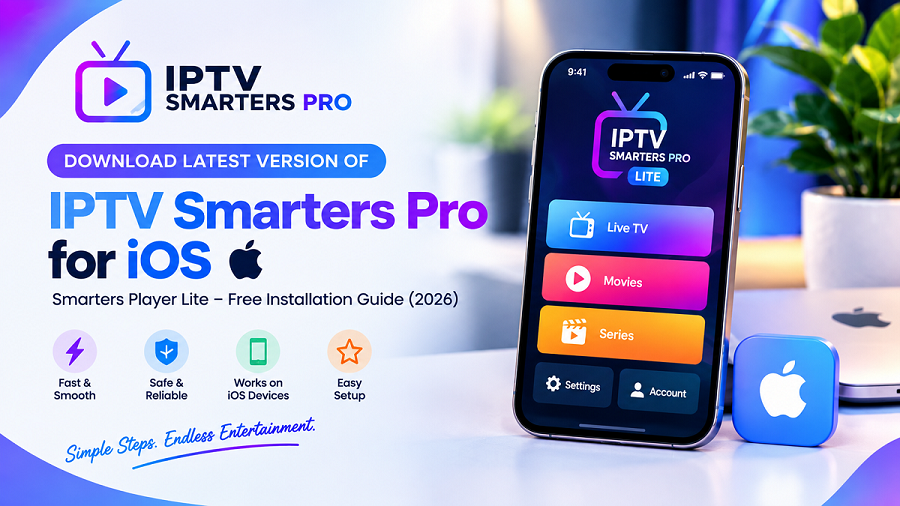
If you're an apple user searching for a reliable IPTV player for your iPhone or iPad, IPTV Smarters Pro or “Smarters Player Lite” is one of the most popular media players available. Designed specifically for iOS devices, it offers an advanced interface, smooth playback, and an easy way to organize your personally owned media in one place.
Whether you're installing the app for the first time or updating to the latest version, this guide will walk you through the complete installation process. You'll also learn about its key features, supported devices, and tips for getting the best experience.
Important: IPTV Smarters Pro and Smarters Player Lite are media players only. They do not provide IPTV subscriptions, channels, playlists, or any media content. Users must supply their own legally obtained playlists or media sources.
What Is Smarters Player Lite?
Smarters Player Lite is the iOS version of the IPTV Smarters media player, designed for iPhone and iPad users who want a simple and organized way to access their personally owned media.
The application supports popular playlist formats and provides a clean interface that makes browsing and managing content easy. Whether you use your device at home or while traveling, the app is designed to deliver a consistent viewing experience.
Why Choose Smarters Player Lite for iOS?
With hundreds of media players available, choosing the right one can be difficult. Smarters Player Lite stands out because it focuses on usability, compatibility, and performance.
Modern User Interface
The application features a clean design that's easy to navigate, making it suitable for both beginners and experienced users.
Smooth Playback
Optimized for iOS, Smarters Player Lite delivers responsive controls and smooth playback when used with compatible content and a stable internet connection.
Cross-Platform Experience
If you also use Android devices, Windows PCs, macOS, Smart TVs, or web browsers, Smarters products provide a familiar interface across supported platforms.
Playlist Support
This flexibility allows users to organize their legally obtained media in one application.The app supports commonly used playlist formats, including:
- M3U
- M3U8
- JSON
Compatible iOS Devices
For the best experience, keep your device updated to a supported version of iOS. Smarters Player Lite works with many Apple devices, including:
- iPhone
- iPhone Plus models
- iPhone Pro and Pro Max models
- iPad
- iPad Air
- iPad Pro
- iPad mini
How to Download the Latest Version of Smarters Player Lite
Installing the application is quick and straightforward.
Step 1: Open the App Store
On your iPhone or iPad, launch the Apple App Store.
Step 2: Search for the App
Search for Smarters Player Lite.Make sure you select the correct application published by the official developer.
Step 3: Download the App
Tap Get or the download icon.If prompted, authenticate using Face ID, Touch ID, or your Apple ID password.
Step 4: Wait for Installation
The application will download and install automatically.Once completed, the Smarters Player Lite icon will appear on your Home Screen.
How to Set Up Smarters Player Lite
Once your playlist has been imported successfully, you can begin browsing your available media.After installation:
- Open the application.
- Accept the terms if prompted.
- Select your preferred login method (if applicable).
- Add your legally obtained playlist or supported media source.
- Allow the application to organize your available content.
Key Features of Smarters Player Lite
The latest version includes features designed to improve usability and organization.
Easy Playlist Management
Import and organize supported playlists in one place for convenient access.
Responsive Navigation
Browse categories quickly with an interface designed for touch devices.
Favorites
Save frequently watched content for faster access.
Search Functionality
Find content quickly without scrolling through long lists.
Multi-Device Compatibility
Enjoy a similar experience across supported Smarters platforms.
Modern Design
The interface is optimized for Apple's ecosystem, offering a smooth and visually appealing user experience.
Tips for the Best Viewing Experience
To get the most from Smarters Player Lite:
- Keep the application updated.
- Use a reliable internet connection.
- Import playlists only from trusted and legally obtained sources.
- Organize playlists into categories for easier navigation.
- Regularly update your playlist if your provider issues changes.
These simple practices help maintain a smooth experience.
Why Keep the App Updated?
Keeping your app updated helps ensure you receive the newest features and optimizations.Installing the latest version provides several benefits:
- Improved performance
- Better compatibility with newer iOS versions
- Bug fixes
- Enhanced stability
- User interface improvements
- Security enhancements
Why Smarters Player Lite Is a Popular Choice
These qualities make it a dependable media player for users who want one application to manage their entertainment.Many iOS users prefer Smarters Player Lite because it combines simplicity with powerful functionality.Some of its strengths include:
- Clean and intuitive interface
- Support for multiple playlist formats
- Cross-platform compatibility
- Responsive performance
- Easy media organization
- Regular updates
- Designed specifically for Apple devices
Final Thoughts
Finding a reliable IPTV media player for iPhone or iPad doesn't have to be complicated. Smarters Player Lite provides an intuitive, feature-rich experience that makes it easy to organize and enjoy your personally owned media.
Whether you're installing the app for the first time or updating to the latest version, the setup process is quick and beginner-friendly. With support for M3U, M3U8, and JSON playlists, along with a modern interface and cross-platform compatibility, Smarters Player Lite continues to be one of the leading media players for iOS in 2026.
Remember that Smarters Player Lite is a media player. It does not supply IPTV services, subscriptions, or content. Users are responsible for providing their own legally obtained playlists or media sources. Download IPTV Smarters Pro