Organize Your Digital Content with IPTV Smarters for Android
Amanpreet Singh4 min read
IPTV Smarters Pro is designed to support convenient media playback and playlist organization. With a straightforward interface and useful navigation options, users can manage compatible media sources according to their preferences.
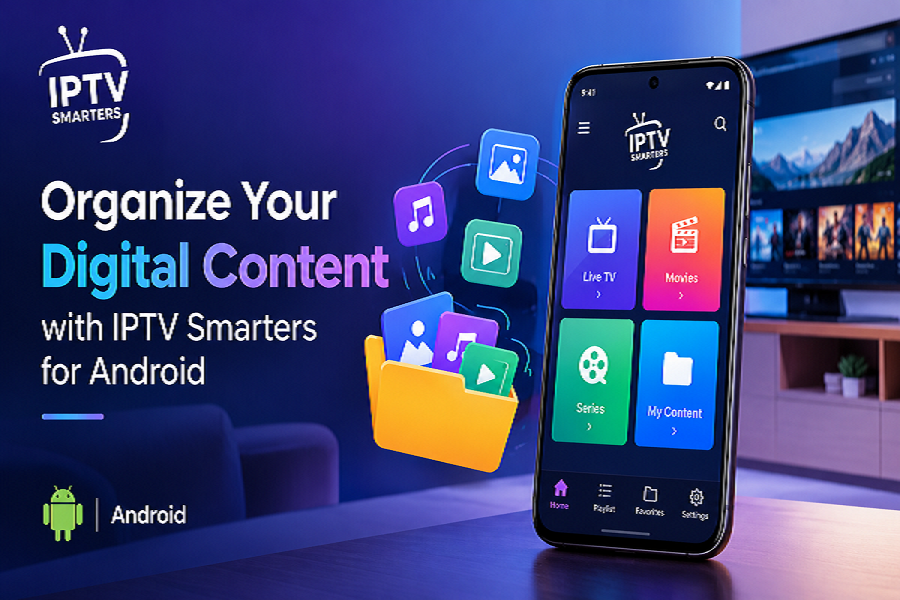
Managing personal digital content becomes easier when you have a media player that offers convenient navigation, flexible playlist support, and practical playback features. Android users often need a simple way to organize their preferred movies, series, music, and other personally owned media in one accessible interface. A suitable media player can help simplify this process while providing a more organized and comfortable experience across compatible devices.
Simplify Digital Media Management
Keeping digital media organized can become challenging when files and playlists are stored across different locations. A user-friendly player helps bring supported content together, making it easier to browse available playlists and select the media you want to enjoy.
IPTV Smarters Pro is designed to support convenient media playback and playlist organization. With a straightforward interface and useful navigation options, users can manage compatible media sources according to their preferences.
Key advantages include:
- Organized playlists: Arrange supported content for convenient browsing.
- Easy navigation: Find available media with a clear and accessible interface.
- Flexible content access: Add compatible playlists from supported local or remote sources.
- Convenient playback: Access available media through practical player controls.
- Personalized experience: Use supported settings to make navigation more comfortable.
These features help create a structured media environment without making everyday content management unnecessarily complicated.
Explore Flexible Playlist Support
Playlist compatibility is an important consideration when selecting a digital media player. Different users may organize their personal content using different formats, so support for commonly used playlist types can make media management more convenient.
M3U and JSON Playlist Compatibility
A compatible player can simplify the process of accessing supported playlists in M3U and JSON formats. Depending on the source and configuration, users can add their playlists and browse the available content through the player interface.
When organizing your playlists, consider these practical tips:
- Keep playlist names clear and descriptive.
- Use separate playlists for different categories of personal media.
- Check that playlist links and source details are accurate.
- Review playlist compatibility before importing content.
- Remove outdated entries when they are no longer needed.
Following these practices can help maintain a cleaner library and make it easier to locate the content you want.
Enjoy a User-Friendly Android Experience
Android devices offer flexibility for accessing digital media at home or while traveling. A player with responsive controls and intuitive navigation can make it easier to browse playlists, select media, and adjust playback settings.
Features That Support Convenient Navigation
When using IPTV Smarters Pro for Android, users can explore the features available on their compatible device and configure supported options to suit their preferences.
Useful features may include:
- Simple interface: Navigate menus and supported playlists with ease.
- Playback controls: Manage supported media using available playback options.
- Playlist organization: Browse content based on the structure of imported playlists.
- Device flexibility: Use compatible Android phones, tablets, and supported Android-based devices.
- Audio and subtitle settings: Adjust available options when supported by the media and player.
Feature availability may vary depending on the device, application version, and media source.
Tips for Keeping Your Digital Library Organized
An organized media library saves time and makes everyday browsing more convenient. A few simple habits can improve how you manage your digital content.
Follow These Organization Practices
- Create meaningful categories: Separate movies, series, music, and other media into suitable groups.
- Use descriptive labels: Choose names that help you identify playlists quickly.
- Maintain updated sources: Review imported playlists regularly to ensure they remain accessible.
- Check playback compatibility: Confirm that your media formats are supported by your device and player.
- Keep your application updated: Install updates from trusted sources when available to access improvements and compatibility fixes.
These steps can help you maintain a consistent and manageable digital media collection.
Choose a Convenient Media Player Experience
Selecting a media player involves more than playback alone. Playlist compatibility, interface design, device support, and straightforward controls all contribute to a better experience. IPTV Smarters Pro offers a practical approach to accessing compatible playlists and organizing personally owned digital content through supported devices.
With IPTV Smarters Pro for Android, users can explore available media, maintain structured playlists, and use supported playback features according to their needs. Combining flexible playlist management with simple navigation can help make digital content easier to organize and access every day.